Hero image Arkance Logo

Bluebeam Max

Supercharge your Revu

Smarter workflows. Faster decisions. Better project outcomes.

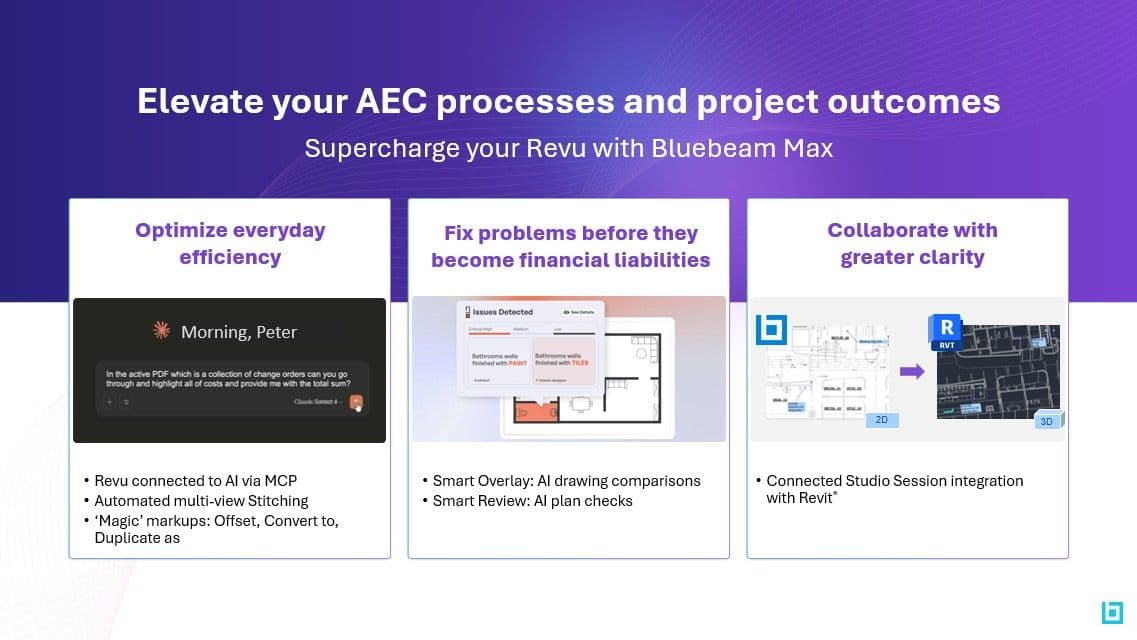
Bluebeam Max is the next evolution of Bluebeam—bringing together AI-powered capabilities, connected workflows, and deeper integrations to help teams across design and construction work smarter and deliver projects with greater confidence. Whether you’re new to Bluebeam or already rely on Revu every day, Bluebeam Max unlocks new ways to streamline collaboration, gain insight, and turn your project data into action.
Image

What's New in Bluebeam Max

Automate the busy work

Work smarter with AI-driven tools that handle tedious document processing.

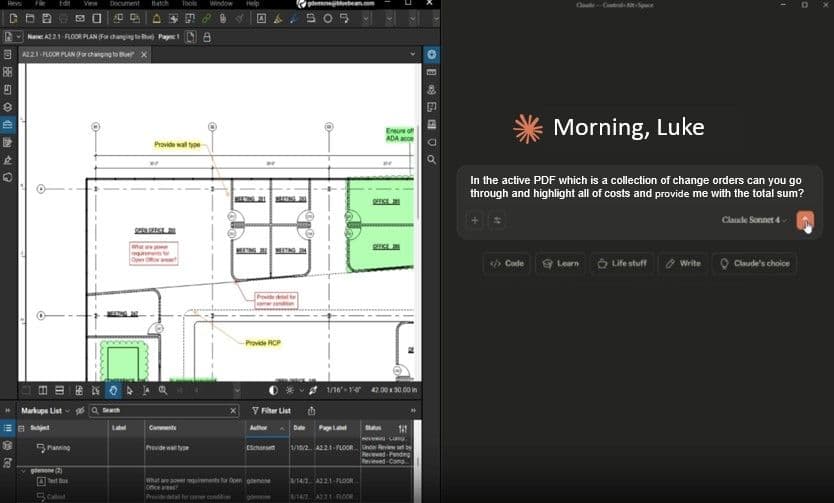
AI-Connected Workflows - Connect Revu to AI using MCP (Model Context Protocol) to:

  • Streamline repetitive tasks
  • Surface insights from your documents
  • Enhance review workflows with intelligent assistance

Catch problems sooner

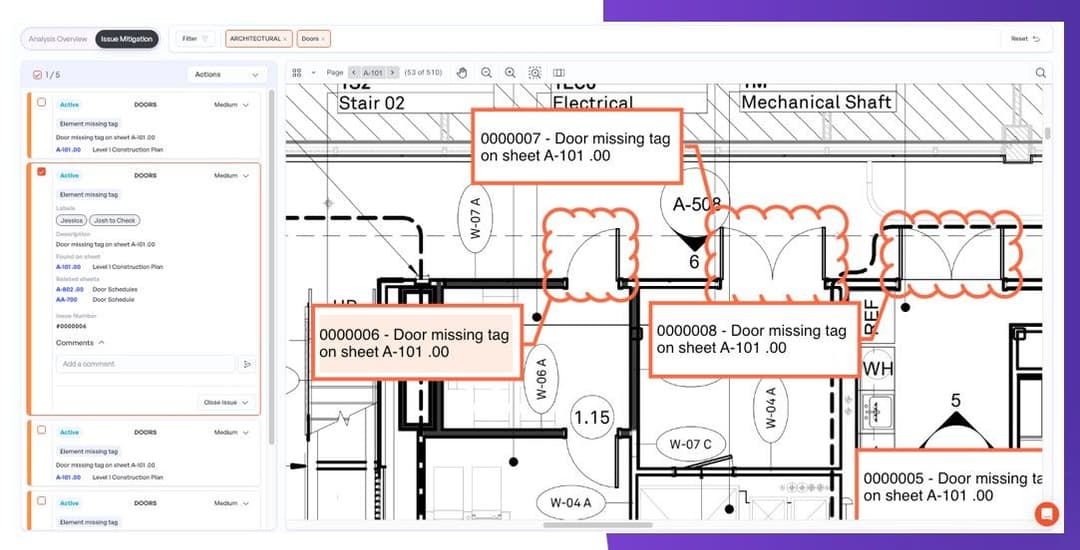
Strengthen project confidence with AI-powered design reviews that resolve issues early.

  • Smart Review: Scan documents for design issues, scope gaps, and discrepancies, with insights delivered as trackable automated markups.
  • Smart Overlay: Use AI precision to detect design changes across disciplines and drawing scales, providing visual reports that go beyond standard comparison tools.

See the bigger picture, faster

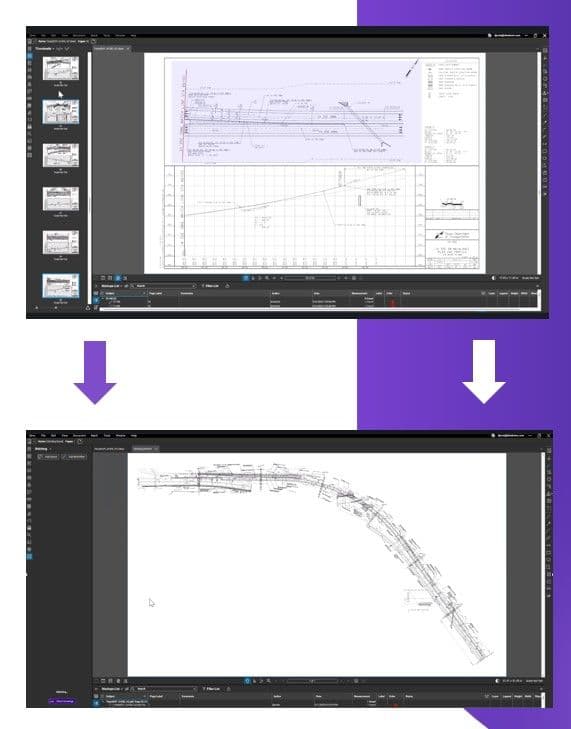
Easily combine multiple views into a unified view that helps you understand how they fit together. Automated computer vision aligns the views and connects the seams for you, boosting precision and saving time. No copy-paste, tape, or scissors required.

Stitch Sheets for a unified view and eliminate the friction of managing multiple drawings:

  • Combine sheets into a single, continuous view
  • Navigate complex plans more efficiently
  • Improve coordination across disciplines

Bridge the gap between PDF and BIM

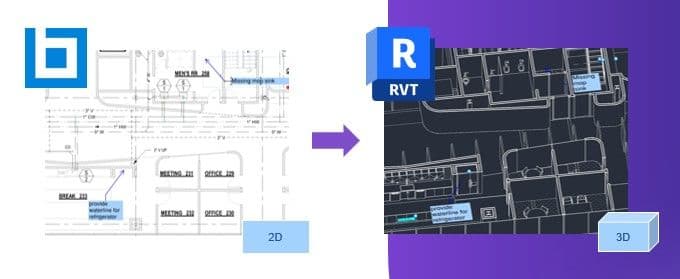
Improve coordination between office and field by linking 2D and 3D environments.

  • Connected Studio Sessions: Link Bluebeam markups directly to the corresponding spot in Revit®, appearing in both the drawing sheet and the 3D view.

Get more accurate takeoffs in fewer clicks

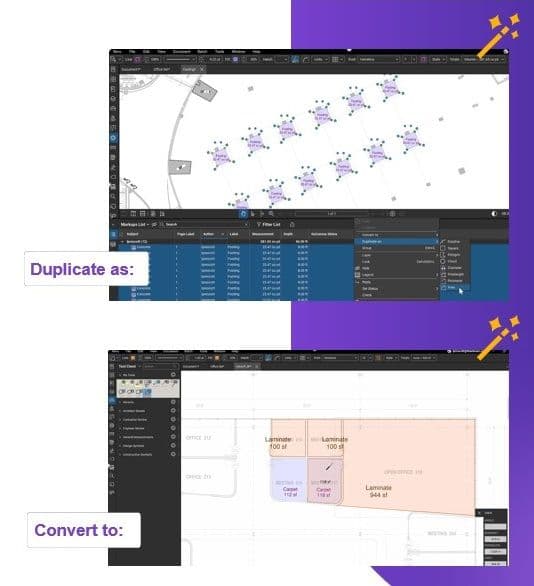
Save time, reduce errors, and streamline processes by turning existing markups into a different type of markup with a single click. For example, instantly convert a wall outline into a perimeter length measurement or duplicate it into an area measurement.

  • Duplicate as: Select and duplicate items identifying volume measurements, to identify area measurement separately.
  • Convert to: Convert markups to other types using the original geometry. Change a polyline to a polygon.