
With the latest Be.Smart Connector update, files can now move automatically between Autodesk Forma and Bluebeam on a set schedule - no manual action to initiate the transfer required.
This brings a new level of automation to review and markup workflows, helping teams stay aligned without extra coordination.
From connected workflows to automated workflows
When Autodesk Forma (formerly Autodesk Construction Cloud) serves as the common data environment, and Bluebeam is used for reviews and markups, files need to move reliably between both platforms - without breaking version control.
From its first release, the Be.Smart Connector removed the need to download and upload files manually. Instead, teams could transfer PDFs securely from cloud to cloud between Autodesk Forma and Bluebeam, helping ensure that:
- The right file versions are exchanged
- Project information stays aligned across platforms
- Version control is maintained without local file handling
This helped eliminate common issues such as delays, misplaced files, and uncertainty about which version was the latest.
However, one step still required user action: starting the transfer.
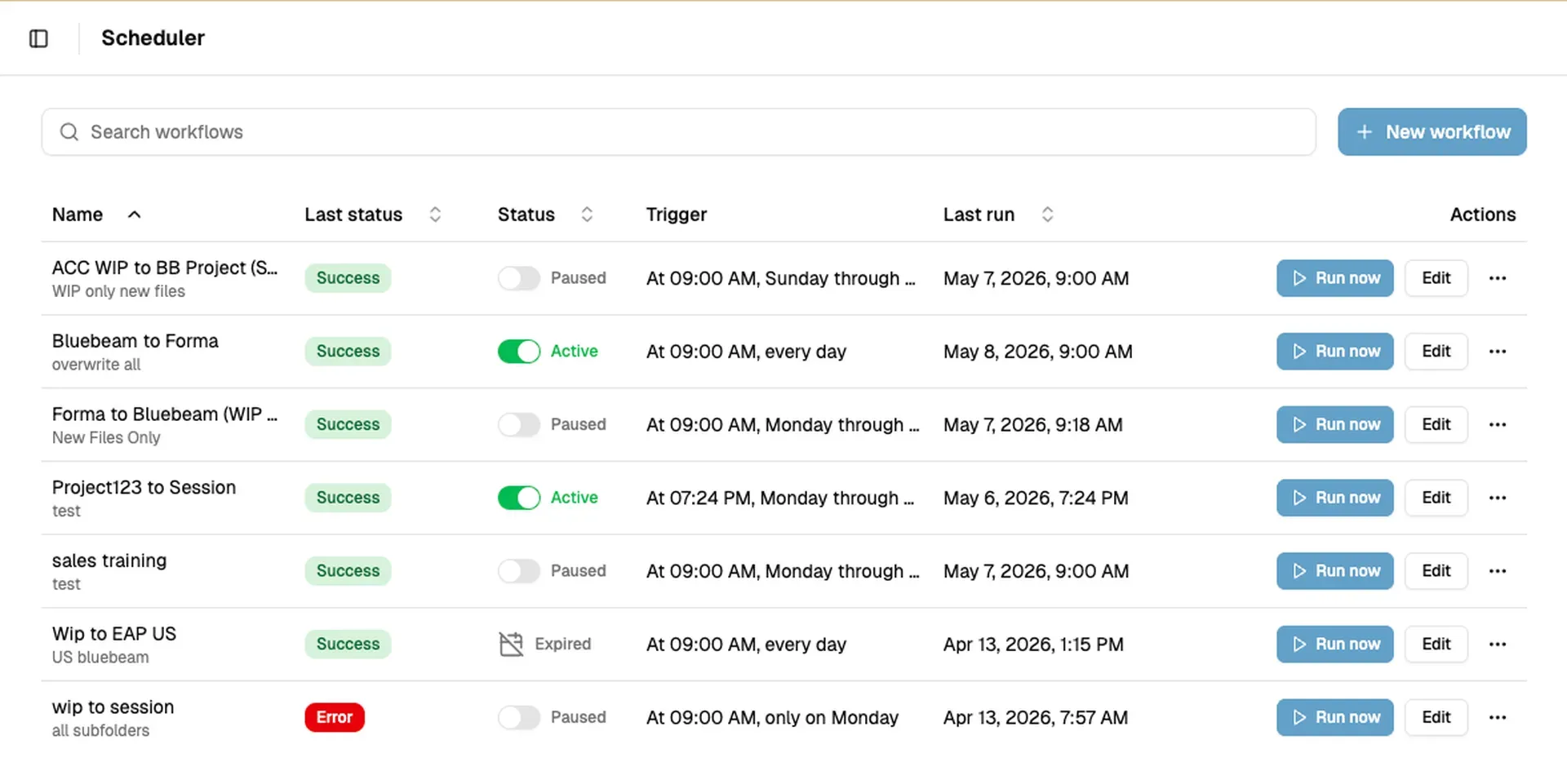
Based on customer feedback, we’ve now taken the next step by adding scheduled file transfers. The new Scheduler automates when transfers occur, allowing files to move between Autodesk Forma and Bluebeam automatically - without anyone needing to trigger the process manually.
New Scheduler: automated file transfers
The new Scheduler lets teams automate routine file movement between Autodesk Forma and Bluebeam Studio Projects or Sessions.
Once configured, the workflow:
- Transfers new or updated PDFs automatically
- Sends files to Bluebeam for markup
- Returns reviewed files to the correct Forma folder
- Runs on a defined schedule - or manually when needed
No more wondering whether the latest file is in the right place.
Keeps files moving, automatically
The Scheduler gives teams more control over how and when files are transferred. Users can choose the folders included in the workflow, set up the recurrence, and run the workflow manually when needed.
After setup, the workflow runs in the background, helping teams reduce repetitive handling and keep project information synchronized across platforms.
Get started with scheduled file transfers
This update adds another layer of automation to the Be.Smart Connector, supporting cleaner handovers, fewer errors, and more reliable review cycles between Autodesk Forma and Bluebeam.
Whether you're responding to markups or preparing for the next review round, the files are already where they need to be.
Learn how to set up scheduled file transfer workflows in our step-by-step instructions